IPV4 Subnetting:
An IP Address is represented as four decimal integers.
- 192.168.1.1
An IP Address is 32 bits long.
- 192.168.1.1 is expressed as:
11000000.10101000.00000001.00000001
Subnet mask can be represented in several formats:
- Mask = 255.255.255.0
- Mask = /24
- Mask = 11111111.11111111.11111111.00000000
Sample Question: What is the subnet address, first usable address and broad cast address for IPAddress of 192.168.5.12/26 ?
Answer:
Step 1: First calculate decimal subnet mask for the above IP address i.e /26 means masking 26 bits out of 32 bits i.e
11111111.11111111.11111111.11000000
11111111.11111111.11111111.11000000
which means:
255.255.255.192
Subtract 192 from 256 : 256 - 192 = 64.
Step 2: Calculate the subnets:
Subtract 192 from 256: 256 - 192 = 64.
Subnets are in the ranges of 64.
So, total subnets for the above address range are:
192.168.5.0 , 192.168.5.64, 192.168.5.128, 192.168.5.192
192.168.5.0 , 192.168.5.64, 192.168.5.128, 192.168.5.192
Step 3: Calculate subnet, first available host and broad cast address.
Here, we found four subnets:
192.168.5.0 , 192.168.5.64, 192.168.5.128, 192.168.5.192
Our given host was 192.168.5.12.
First available host means first host after subnet address before the given host:
which means:
First available host is : 192.168.5.1
First available host is : 192.168.5.1
Broadcast address is the last host before the next subnet with in the range of the given host.
So, Broadcast address is: 192.168.5.63
Why subnet mask is used?
A. Subnet mask is used to determine to which subnet external packet from outside has to be forwarded. Given the destined IP address simple AND operation of IP address with subnet mask will give the network id or sub net id to which packet has to be forwarded.
A subnet mask is a 32 bit number in 1's represent NetworkID & SubnetID, and 0's represent HostIDs.
For example, if a network is divided into four subnets by taking two bits from last 8 bits of host address, the very first ip address is subnet id of the first subnet as well as network id of the entire network. Similarly, last ip address of the last subnet is the direct broadcast address of that subnet as well as for the entire network.
A network divided into four subnets is shown below with routing table. Router determines to which interface packet has to go from the routing table which consists of NetworkID, SubnetMask and Interface.

IP Address classification:
Unicasting and Broadcasting:
If a host sends a message to another host, it is called unicasting.
If a host sends a message to all other hosts in the same network, it is called Limited Broadcasting.
If a host sends a message to all the hosts in another network, it is called Directed Broadcasting.

Given the IPAddresses in the image below, their corresponding Network ids,Direct broadcast address and Limited broadcast addresses are entered.

Variable Length Subnetting means subnet mask can be different from one subnet to other subnet which is show below. In this case instead of dividing into four parts we are dividing into three parts in which one subnet contains 128 IPAddresses and the other two with 64 IP Addresses each.

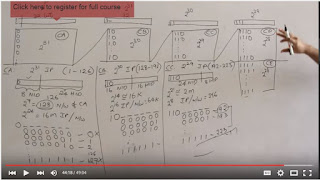
Given a subnet mask and Type of Network ( class A or B or C or D) we can derive how many subnets are available for that network. Also, from the subnet mask we can determine how many IPAddresses are available as shown.Number of hosts will be total No. of IPAddresses - 2.

Reference: All About Computer Networks
Why subnet mask is used?
A. Subnet mask is used to determine to which subnet external packet from outside has to be forwarded. Given the destined IP address simple AND operation of IP address with subnet mask will give the network id or sub net id to which packet has to be forwarded.
A subnet mask is a 32 bit number in 1's represent NetworkID & SubnetID, and 0's represent HostIDs.
For example, if a network is divided into four subnets by taking two bits from last 8 bits of host address, the very first ip address is subnet id of the first subnet as well as network id of the entire network. Similarly, last ip address of the last subnet is the direct broadcast address of that subnet as well as for the entire network.
A network divided into four subnets is shown below with routing table. Router determines to which interface packet has to go from the routing table which consists of NetworkID, SubnetMask and Interface.

IP Address classification:

Unicasting and Broadcasting:
If a host sends a message to another host, it is called unicasting.
If a host sends a message to all other hosts in the same network, it is called Limited Broadcasting.
If a host sends a message to all the hosts in another network, it is called Directed Broadcasting.

Given the IPAddresses in the image below, their corresponding Network ids,Direct broadcast address and Limited broadcast addresses are entered.

Variable Length Subnetting means subnet mask can be different from one subnet to other subnet which is show below. In this case instead of dividing into four parts we are dividing into three parts in which one subnet contains 128 IPAddresses and the other two with 64 IP Addresses each.

Given a subnet mask and Type of Network ( class A or B or C or D) we can derive how many subnets are available for that network. Also, from the subnet mask we can determine how many IPAddresses are available as shown.Number of hosts will be total No. of IPAddresses - 2.

Reference: All About Computer Networks

